Android Settings for Best Accuracy:
1. Tap the Settings button in your App Drawer.
2. Tap Location under the Personal menu.
3. Tap Mode.
4. Tap the option you want to use for your location service.
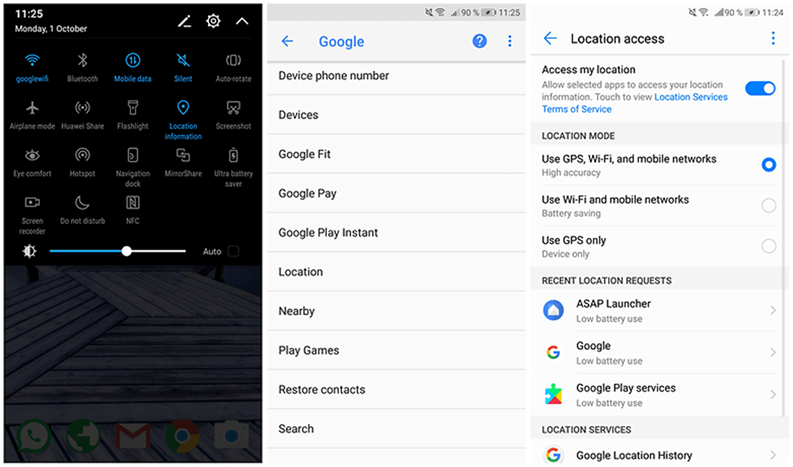
High accuracy
When you select the High accuracy location service mode, you are allowing multiple networks to pinpoint your precise location (hence the name High accuracy). It calls upon every service available: GPS, Wi-Fi, Bluetooth, and/or cellular networks in whatever combination available, and uses Google's location services to provide the most accurate location.
Your phone's location will be fairly accurate, and down to the street corner you're standing on or the home address you're living at or visiting. You'll probably want this mode turned on if you're looking for turn-by-turn directions.